
Every time I jump into a game of Valorant, the first thing I see is my crosshair. Let me tell you, the default one feels like trying to read a book with a large, blurry fingerprint smudged across the lens—it's more of a hindrance than a help. It takes up too much space and often blocks my view of crucial details. That's why customizing this tiny, yet pivotal, in-game element is non-negotiable for anyone serious about improving. Tweaking those settings, however, can be as tricky as calibrating a delicate scientific instrument by feel alone. To save you the trial and error, I've delved into the arsenals of the best in the business. From world champions to legendary streamers, here are the crosshair configurations that have defined the meta in 2026, serving as a perfect starting point to find what complements your unique playstyle.
10. yay: The Precision Scalpel
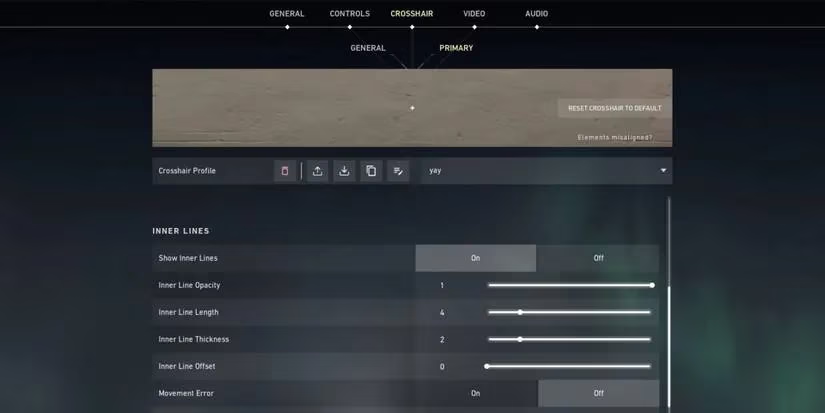
Before dominating Valorant with OpTic, yay was a CS:GO pro. His crosshair is a testament to his precision-focused playstyle, especially on agents like Chamber. It's a minimalist white crosshair, as unobtrusive as a single strand of spider silk yet deadly accurate. The design creates minimal visual distraction, allowing for pixel-perfect headshots. I find it's like using a surgeon's laser guide—utterly precise but demanding steady hands.
Profile Code: 0;P;h;0;0l;4;0o;0;0a;1;0f;0;1b;0
Quick Settings:
-
Color: White
-
Outlines: Off
-
Center Dot: Off
-
Inner Lines: On (Opacity: 1, Length: 4, Thickness: 2, Offset: 0)
-
All Error Settings: Off
9. Crashies: The Initiator's Frame
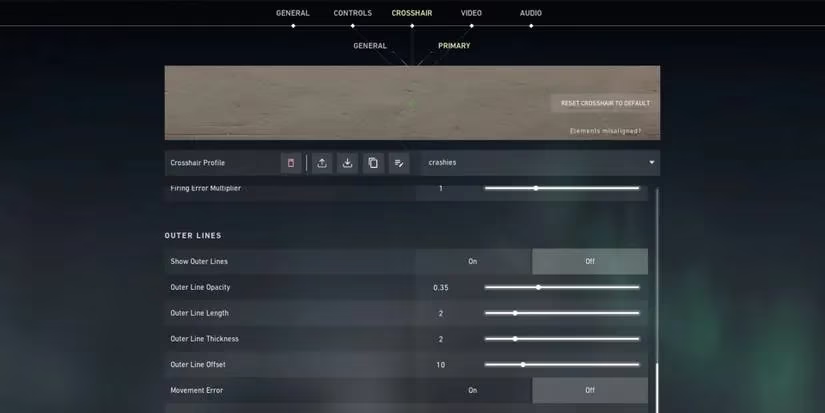
Crashies, a master of initiators like KAY/O and Sova, uses a green crosshair with a small central gap. This gap is crucial for tracking targets during weapon sprays. The green color provides excellent contrast against the red enemy highlight, making target acquisition swift. Using this crosshair feels like looking through the viewfinder of a well-calibrated camera—it frames the enemy perfectly within its bounds.
Profile Code: 0;P;c;1;h;0;0l;3;0a;1;0f;0;1b;0
Quick Settings:
-
Color: Green
-
Outlines: On (Opacity/Thickness: 1)
-
Center Dot: Off
-
Inner Lines: On (Opacity: 1, Length: 3, Thickness: 2, Offset: 3)
-
All Error Settings: Off
8. TenZ: The Popular Cyan Standard
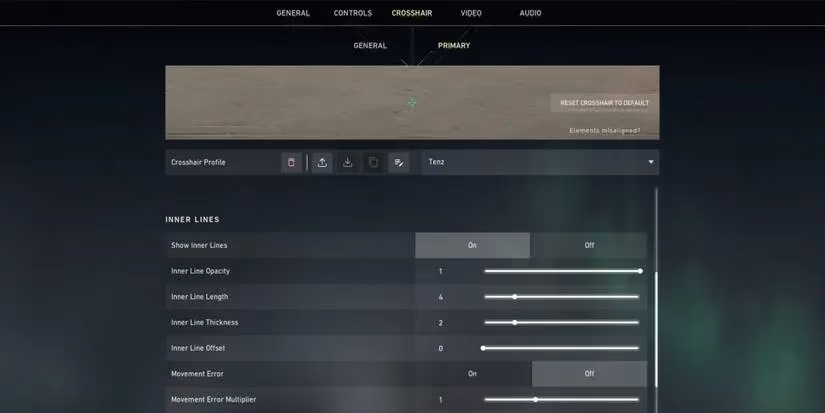
TenZ of Sentinels popularized the cyan crosshair, and for good reason. It stands out against most map backgrounds and agent models. Paired with a yellow enemy highlight, it creates a vibrant and clear visual field. The central opening aids in spray control, while the small size remains effective for headshots at various ranges. It's a versatile, all-rounder choice.
Profile Code: 0;P;c;5;h;0;d;1;z;1;0l;4;0o;0;0a;1;1b;0
Quick Settings:
-
Color: Cyan
-
Outlines: Off
-
Center Dot: Off
-
Inner Lines: On (Opacity: 1, Length: 4, Thickness: 2, Offset: 0)
-
Firing Error: On (Multiplier: 1)
7. ScreaM: The One-Tap Dot
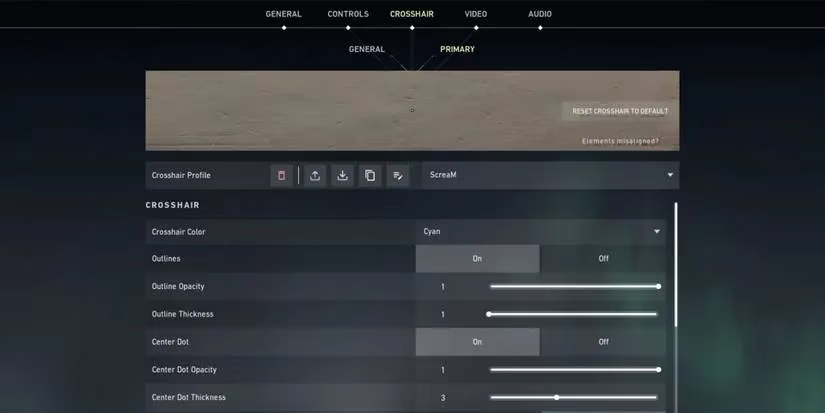
Known for his legendary headshot percentage, ScreaM's crosshair is elegantly simple. A cyan dot sits at the center. The philosophy is direct: place the dot on the enemy's head and shoot. It's the digital equivalent of a dueling pistol's iron sight—no frills, just pure, unadulterated aim duels. It rewards pinpoint accuracy above all else.
Profile Code: 0;P;c;5;o;1;d;1;z;3;0b;0;1b;0
Quick Settings:
-
Color: Cyan
-
Outlines: On (Opacity/Thickness: 1)
-
Center Dot: On (Opacity: 1, Thickness: 3)
-
Inner Lines: Off
6. Seagull: The Translucent Brawler
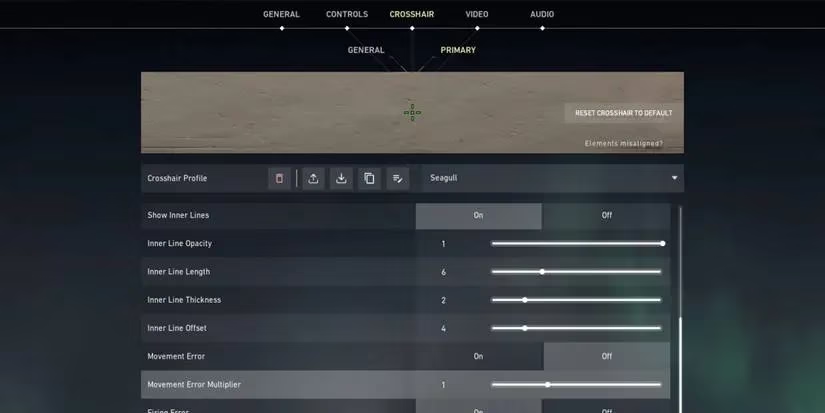
Coming from an Overwatch background, Seagull's setup is unique. It features a large, low-opacity green dot surrounded by inner lines. This crosshair isn't designed for long-range tapping; it excels in close-quarters chaos and spray transfers. The translucency prevents it from fully obscuring your target, making it feel like aiming through a faint, guiding haze during frantic fights.
Profile Code: 0;P;c;1;o;1;d;1;z;4;a;0.268;0o;4;0a;1;1b;0
Quick Settings:
-
Color: Green
-
Outlines: On (Opacity/Thickness: 1)
-
Center Dot: On (Opacity: 0.268, Thickness: 4)
-
Inner Lines: On (Opacity: 1, Length: 4, Thickness: 2, Offset: 4)
-
Firing Error: On (Multiplier: 1)
5. Dizzy: The High-Visibility Red
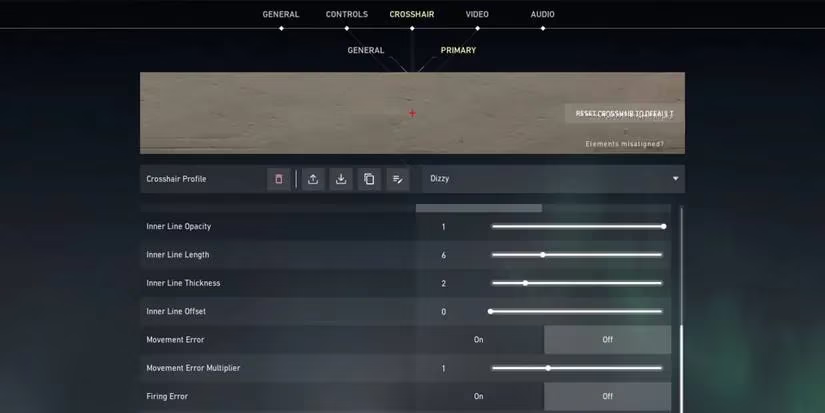
The former Apex pro uses a simple red crosshair with slightly longer inner lines than yay's. This makes it more visible without being clunky. Red contrasts sharply with purple enemy highlights (a great accessibility setting combo). It's a straightforward, high-contrast tool that gets the job done.
Profile Code: 0;P;c;7;h;0;0o;0;0a;1;0f;0;1b;0
Quick Settings:
-
Color: Red
-
Outlines: Off
-
Center Dot: Off
-
Inner Lines: On (Opacity: 1, Thickness: 2, Offset: 0)
-
All Error Settings: Off
4. Shroud: The Outline Enhancer
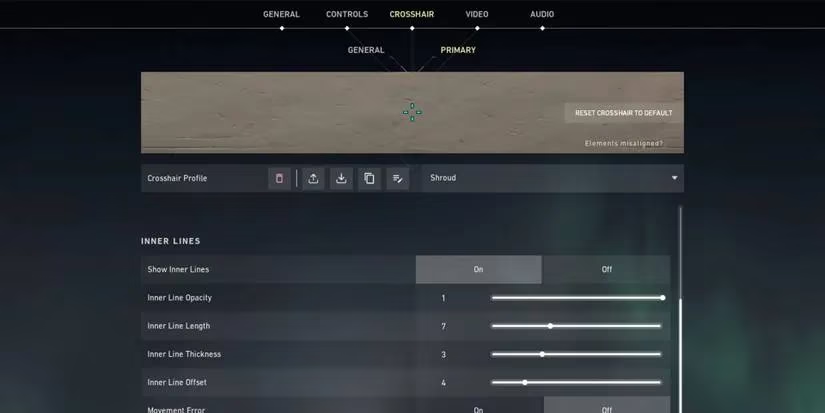
Shroud's cyan crosshair uses a high-opacity outline as its secret weapon. When that bright outline touches an enemy model, it's a clear visual signal to fire. It turns aiming into a game of "touch the target," which can be incredibly intuitive. It's like having a highlighter that marks the exact moment your aim is on point.
Profile Code: 0;P;c;5;o;1;0l;4;0o;0;0a;1;1b;0
Quick Settings:
-
Color: Cyan
-
Outlines: On (Opacity/Thickness: 1)
-
Center Dot: Off
-
Inner Lines: On (Opacity: 1, Length: 4, Thickness: 2, Offset: 0)
-
Firing Error: On (Multiplier: 1)
3. Brax: The Wide-Frame Viewfinder
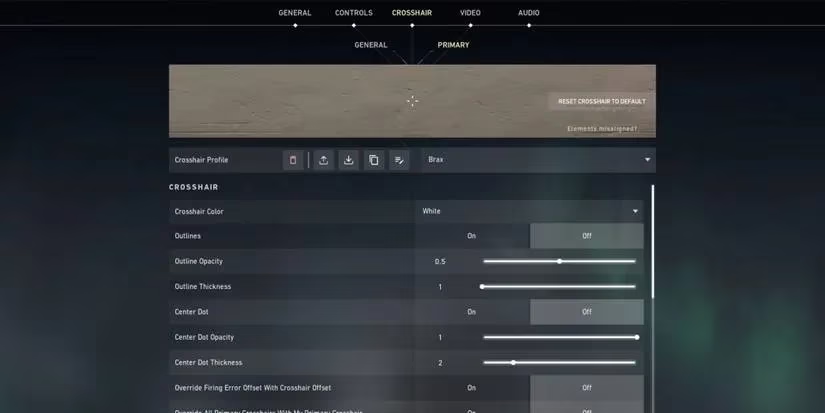
Brax (swag) uses a larger white crosshair with a generous gap. This design provides a wide "frame" to place an enemy's head inside, which can feel more natural for tracking and flicking. For players who find tiny crosshairs hard to follow, this is an excellent alternative that offers clarity without sacrificing too much precision.
Profile Code: 0;P;h;0;0l;5;0o;2;0a;1;1b;0
Quick Settings:
-
Color: White
-
Outlines: Off
-
Center Dot: Off
-
Inner Lines: On (Opacity: 1, Length: 5, Thickness: 2, Offset: 2)
-
Firing Error: On (Multiplier: 1)
2. SicK: The Substantial Presence
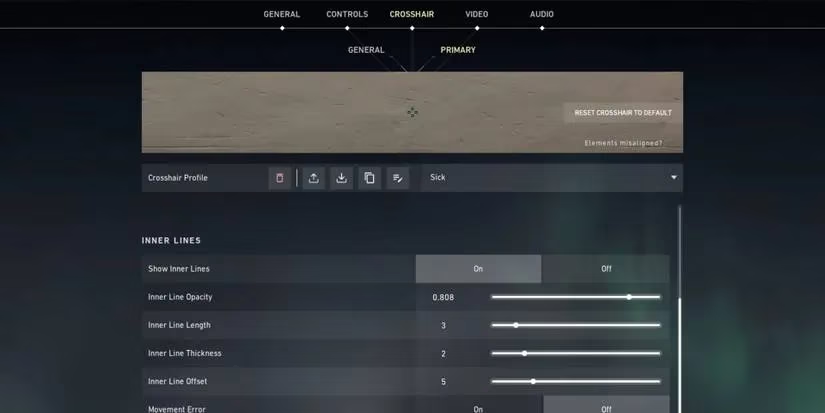
Sentinels' SicK uses a crosshair with thicker lines and lower inner line opacity. This creates a strong, tangible presence on your screen that's easy to track, yet the slight see-through quality prevents it from becoming a blind spot. It's a confident crosshair for players who want to feel its position at all times, like a steady compass needle in the center of your vision.
Profile Code: 0;P;c;1;o;1;0l;3;0o;5;0a;0.808;0f;0;1b;0
Quick Settings:
-
Color: Green
-
Outlines: On (Opacity/Thickness: 1)
-
Center Dot: Off
-
Inner Lines: On (Opacity: 0.808, Length: 3, Thickness: 2, Offset: 5)
-
All Error Settings: Off
1. Hiko: The Subtle Sentinel
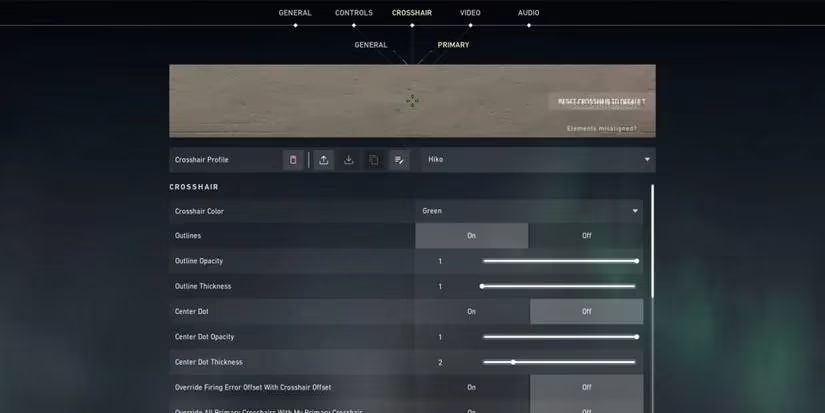
The retired 100 Thieves captain uses a green crosshair with a subtle, low-opacity outline. This faint outline is brilliant for catching glimpses of enemies who are jiggle-peeking or hiding in dark corners, acting like a peripheral vision enhancer. It provides situational awareness without the visual noise of a bold outline, making it perfect for calculated, supportive play.
Profile Code: 0;P;c;1;o;1;0l;4;0a;1;1b;0
Quick Settings:
-
Color: Green
-
Outlines: On (Opacity: 0.15, Thickness: 1)
-
Center Dot: Off
-
Inner Lines: On (Opacity: 1, Length: 4, Thickness: 2, Offset: 3)
-
Firing Error: On (Multiplier: 1)
Finding Your Perfect Crosshair in 2026 🎯
Remember, a pro's crosshair is a deeply personal tool. Use these profiles as a foundation. Don't be afraid to adjust a color, nudge the length, or tweak the opacity. The best crosshair is the one that feels like a natural extension of your intent—it should disappear in your consciousness while consistently bringing your targets into sharp, undeniable focus. Copy a code, test it in the Range, and iterate until it clicks. Your climb to Radiant starts with a single, well-placed dot.