
Ever wondered how a pro like TenZ makes those impossible shots look so effortless? In the ever-evolving world of Valorant, keeping your settings dialed in is just as crucial as mastering your agent's abilities. While raw skill is king, the right configuration can be the secret weapon that elevates your gameplay from good to great. For years, TenZ has been a benchmark for aspiring players, and his settings have been dissected by fans worldwide. So, if you're looking to fine-tune your own setup and maybe, just maybe, channel a bit of that TenZ magic, you've come to the right place. Let's break down the key components that help this legend dominate the server.
🔥 Sensitivity: The Foundation of Precision
What's the secret behind TenZ's pixel-perfect flicks? It all starts with his mouse sensitivity. While pros often experiment, TenZ has consistently favored a lower sensitivity range for maximum control. He's famously said that higher sensitivities can feel erratic, while a lower one lets him feel more connected to his crosshair's movement. Think about it—would you rather have a shaky, hard-to-control aim or a smooth, deliberate one? For TenZ, the choice is clear.
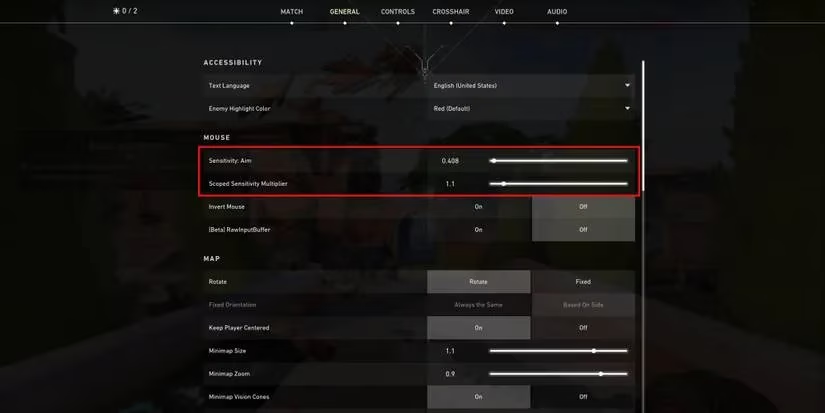
Here are the core numbers that define his aiming experience as of 2026:
| Setting | Value |
|---|---|
| Sensitivity | 0.408 |
| Scope Sensitivity | 1.1 |
| Mouse DPI | 800 |
| eDPI (Sensitivity x DPI) | 326 |
Why does this matter? The eDPI (effective DPI) of 326 is a sweet spot for many pros. It requires larger arm movements for big swipes but allows for incredibly precise wrist adjustments for micro-corrections. It's a setup built for consistency, not flashy 360s.
✨ Crosshair Settings: Your Visual Anchor
TenZ's crosshair is practically iconic in the Valorant community. Its clean, cyan design has been copied and tweaked by countless players. The philosophy here is simplicity and consistency. By turning off all the distracting elements like movement and firing error, the crosshair becomes a reliable, unchanging point of reference. Isn't it better to have a crosshair that stays exactly where you put it, rather than one that jumps around when you move or shoot?
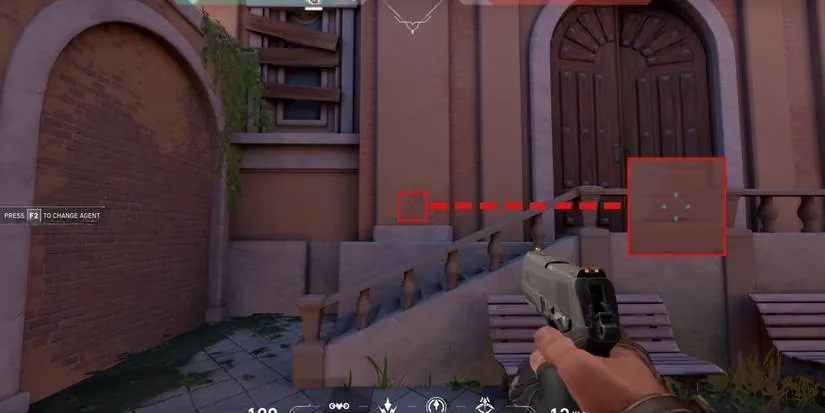
Here's the exact blueprint for his 2026 crosshair:
-
Inner Lines
-
Opacity: 1
-
Length: 4
-
Thickness: 2
-
Offset: 2
-
-
Outer Lines
-
Opacity: 0 (Fully Off)
-
Length: 0
-
Thickness: 0
-
Offset: 0
-
-
Center Dot: Off
-
Outlines: Off
-
Movement Error: Off
-
Firing Error: Off
-
Crosshair Color: Cyan
Feel free to use this as a starting point! The color cyan offers great visibility against most map backgrounds. Remember, the best crosshair is the one you're most comfortable with, so don't be afraid to adjust the thickness or length slightly.
⌨️ Keyboard Settings: Optimizing Your Actions
While TenZ's keyboard layout is mostly standard, he's made some smart adjustments to streamline his ability usage. The goal is to minimize finger travel and keep crucial actions readily available without compromising movement keys. After all, in a split-second duel, reaching for an awkwardly placed key could mean the difference between clutching the round or watching the kill cam.
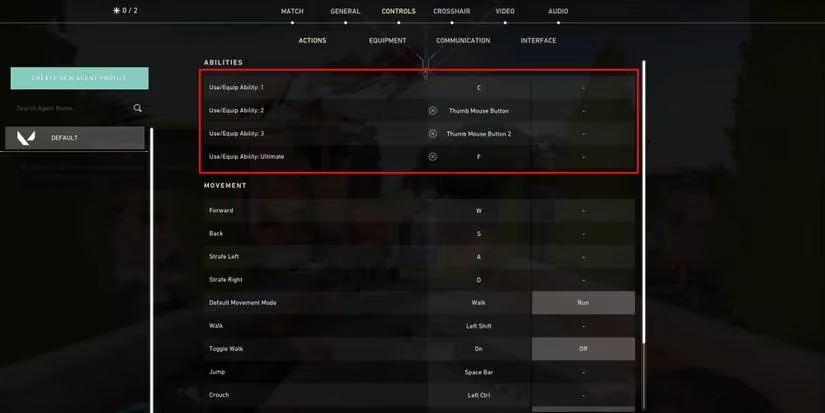
Here are his key customizations for 2026:
-
Ability 1:
C -
Ability 2:
Mouse Button 4(A thumb button) -
Ability 3:
Mouse Button 5(Another thumb button) -
Ultimate Ability:
F
Why bind abilities to mouse buttons? This is a common pro tactic. It allows you to activate abilities without taking your fingers off the essential W, A, S, D movement keys. Your thumb, which usually doesn't do much in an FPS, becomes a powerful tool for utility. Binding the ultimate to F (often used for 'Interact/Use' by default) is also a smart move, making it quick and easy to hit in the heat of the moment.
🚀 Putting It All Together
So, you've got the numbers and the settings. But will copying TenZ's setup instantly make you a Radiant-level player? Of course not! These settings are a finely tuned instrument, but you are the musician. They work for TenZ because they complement his specific playstyle, muscle memory, and hardware.
The real takeaway? Use this guide as a foundation for experimentation. Start with TenZ's sensitivity range and see how it feels. Try his crosshair for a few games. Test those mouse button binds. The journey to finding your perfect settings is personal. Pay attention to what feels natural and what holds you back. Maybe a slightly higher sensitivity works better for your aggressive entry style, or perhaps a green crosshair is easier for your eyes to track.
In 2026, the meta and agents may have changed, but the principles of a good setup remain: consistency, comfort, and control. TenZ's settings exemplify these principles. Now, it's your turn to hit the range, tweak, and find the configuration that unlocks your potential. Who knows, with the right settings and enough practice, you might just find yourself pulling off plays worthy of a highlight reel. Good luck, and have fun grinding!